
You launched last week. The signups are trickling in, the dashboard looks clean, and for the first time the thing you built with Lovable is holding real people’s data. It works. That is exactly the problem.
Here is the uncomfortable part. A stranger who opens your app in a browser, presses F12, and clicks the Network tab can often read every other user’s records. Not through some elaborate hack. Through the same API your own app uses, with a key that is meant to be public.
This is not a knock on Lovable, Bolt, or Cursor. They generate genuinely working software. But there is one specific thing they get wrong by default, and it is the thing that decides whether your database is private or wide open.
The key in your frontend is supposed to be public
Most AI-built apps ship on Supabase, and Supabase gives you two keys. The anon key ships inside your frontend code, where anyone can read it. That is by design. It is not a secret, and finding it in your JavaScript bundle is not a breach.
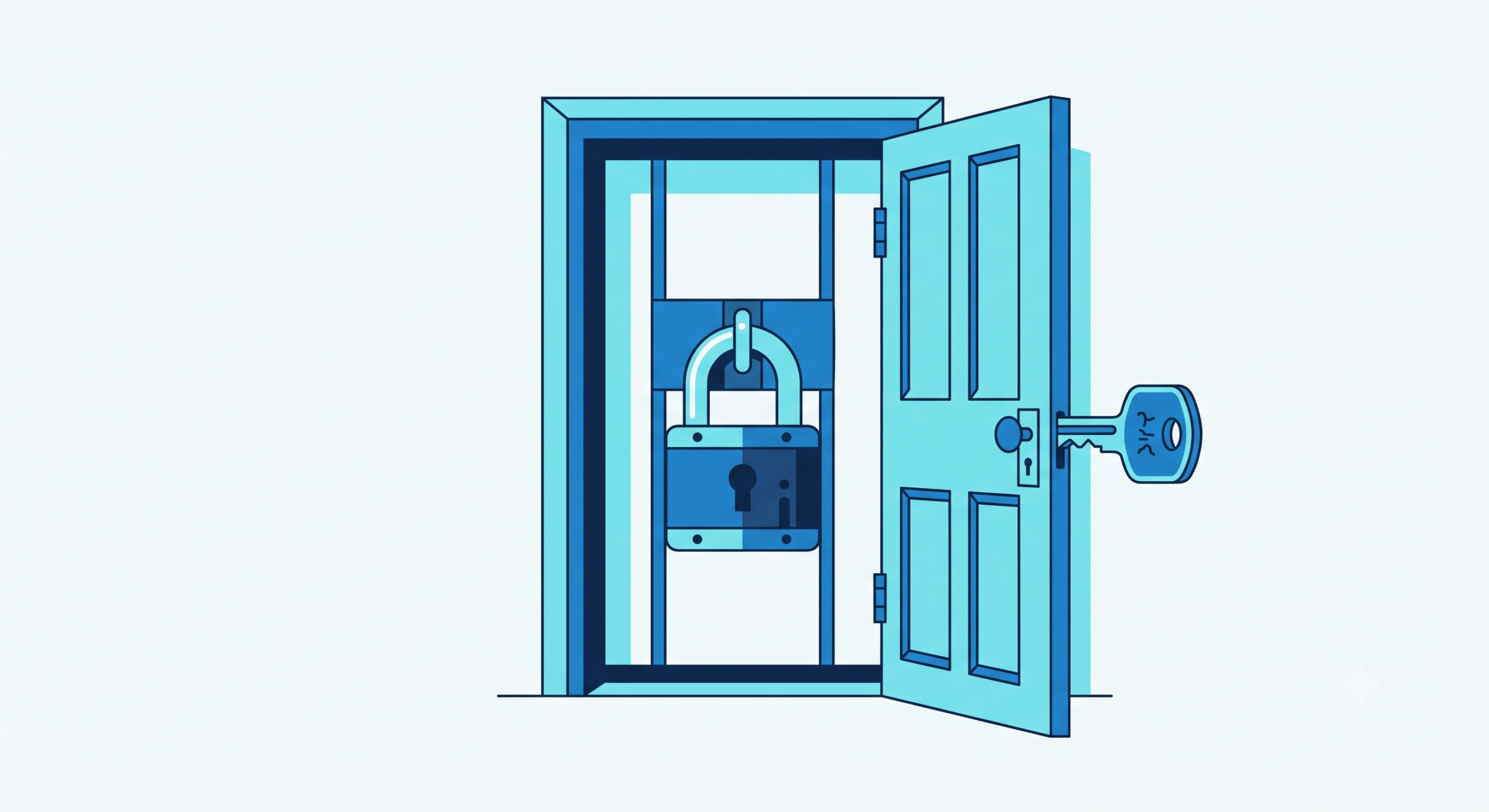
The anon key is safe on its own because it is meant to be gated by a second layer: Row Level Security. RLS is a set of database rules that decide, for every single row, whether the person making the request is allowed to see it or change it. The public key gets you to the door. RLS is the lock.
When RLS is configured correctly, a user asking for “all messages” silently receives only their own. When it is missing or misconfigured, that same request returns everyone’s.
Why the generated app skips the lock
An AI builder optimizes for one thing above all: a preview that works while you are building it. Restrictive security rules get in the way of that. If the generated policy actually enforced ownership, half the features would show empty screens during development, and the tool would look broken to you.
So the default is permissive. Sometimes RLS is switched off entirely on a table. Sometimes it is switched on with a policy that evaluates to true for everyone, which is the same as off while looking, in the dashboard, like it is handled. That second case is the dangerous one, because it passes a glance.
Nothing about your running app will tell you this is happening. The app is fast. It is pretty. It is leaking.
How a stranger actually reads your data
The mechanics are mundane, which is what makes them easy. Your app talks to an address like your-project.supabase.co. That address, and the anon key, are both visible in the browser’s network requests. Anyone can copy them and make the same requests your app makes, but without your app’s intended limits.
If a table has no ownership rule, a request for its contents returns the whole table. Email addresses, message contents, whatever you store. The attacker does not need your password or a login. They need curiosity and the developer tools that ship in every browser.
Security researchers have repeatedly found production apps exposing user data through exactly this gap. It is one of the most common findings in reviews of AI-generated applications, precisely because the failure is invisible from the outside and the tooling defaults toward openness.
Four checks you can run in ten minutes
You do not need a developer for the first look. You need your Supabase dashboard and ten quiet minutes.
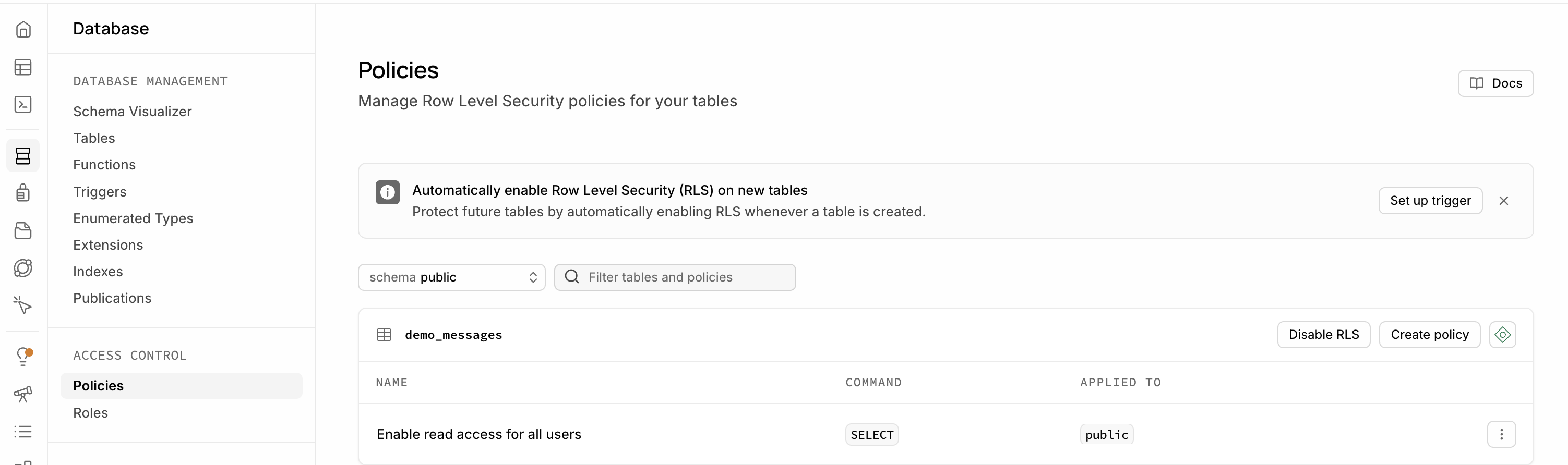
One. Open the Authentication and Policies view. For every table that holds user data, confirm RLS shows as enabled. A table with RLS disabled is readable by anyone with the public key. There is no softer way to say it.
Two. Read the actual policies, do not just count them. A table can have RLS on and still be open if its policy condition is true or USING (true). Look for a real ownership check, something that compares the row’s owner to the logged-in user, along the lines of auth.uid() = user_id.
Three. Separate reading from writing. A policy that lets people read their own rows does not automatically stop them from editing or deleting others. Confirm there are distinct rules for select, insert, update, and delete. A missing delete policy has ended more than one launch.
Four. Try to break it as a logged-out user. Open your app in a private browser window, do not log in, open the Network tab, and watch what the app requests. If any data loads before you authenticate, that data is public to the world.
What to do with what you find
If those checks come back clean, good. You are in a better position than most apps at your stage, and the rest is maintenance.
If they do not, the fix is smaller than the fear. This is not a rebuild. It is writing correct policies on a handful of tables, testing them against real login states, and confirming that reads, writes, and deletes are each locked to the right owner. It is a defined, one-time piece of work with a clear finish line, not an open-ended contract.
The reason to do it now rather than later is simple. The cost of closing this gap is a few hours. The cost of leaving it open is measured in the trust of the exact people you just convinced to sign up.
If you would rather have someone confirm your app is locked down properly before it carries more traffic, that is the kind of scoped review NukyLabs does. Either way, run the four checks today.
Facing this in your own build?
NukyLabs helps founders take AI-generated apps, agents, and automations from a working demo to something that survives real users. If any of the above hit close to home, we can scope it with you.
Get a free consultation →or message us to talk through your project.